




The Lowdown on
Internal
Build custom internal tools and business apps in minutes, not months.
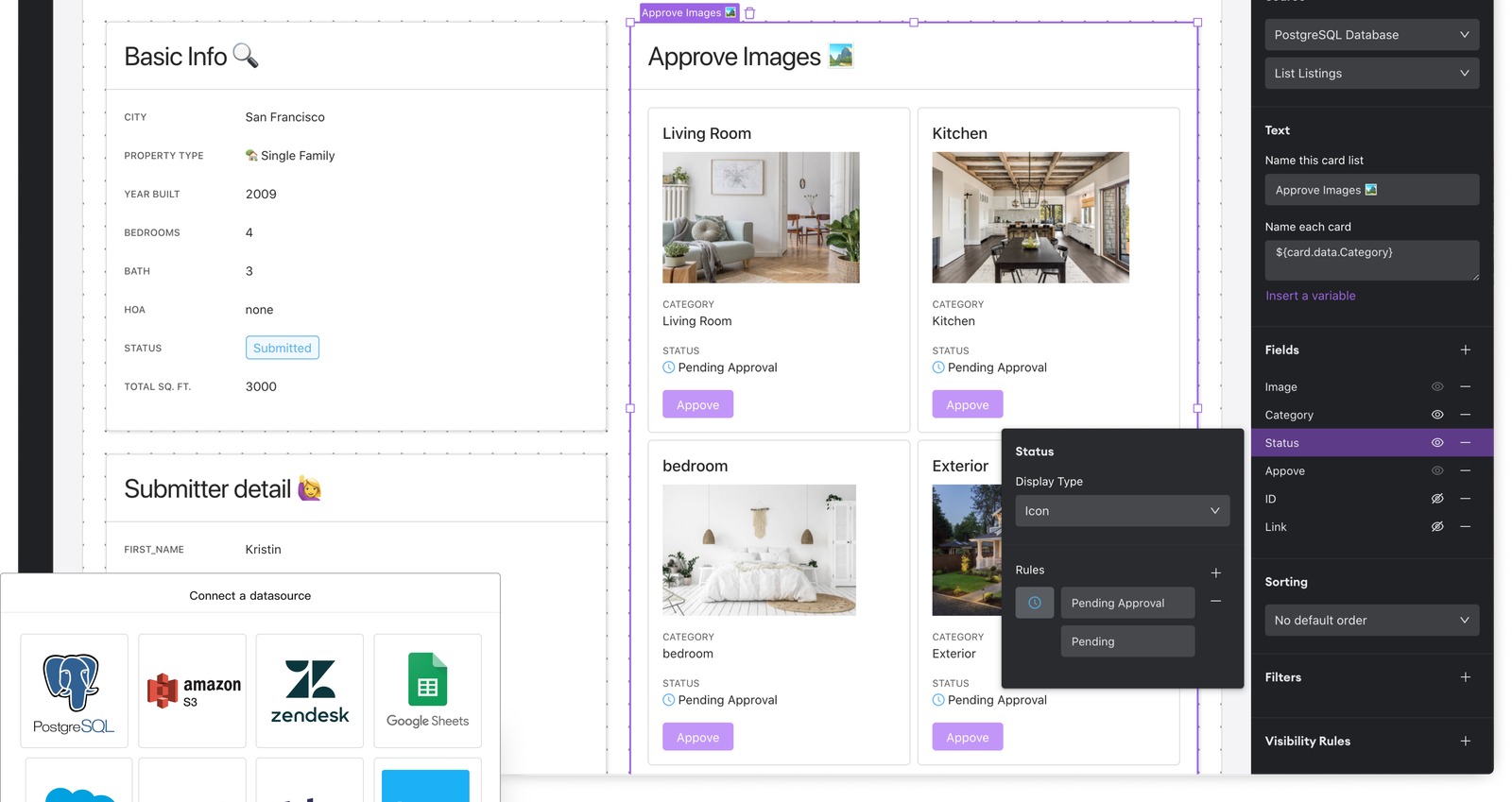
Internal provides a smart app-builder, allowing you to build a fully-featured user experience on top of your data, wherever it is (including Google spreadsheets, SQL databases, or business apps like Salesforce and Stripe.
Build anything your team needs
Need a custom CRM? An on-boarding tool? Inventory manager? Or an approval queue? Internal is the easiest way to build functional and secure internal tools on top of your data: just drag and drop prebuilt components to build any tool you can imagine.
Connect it all together
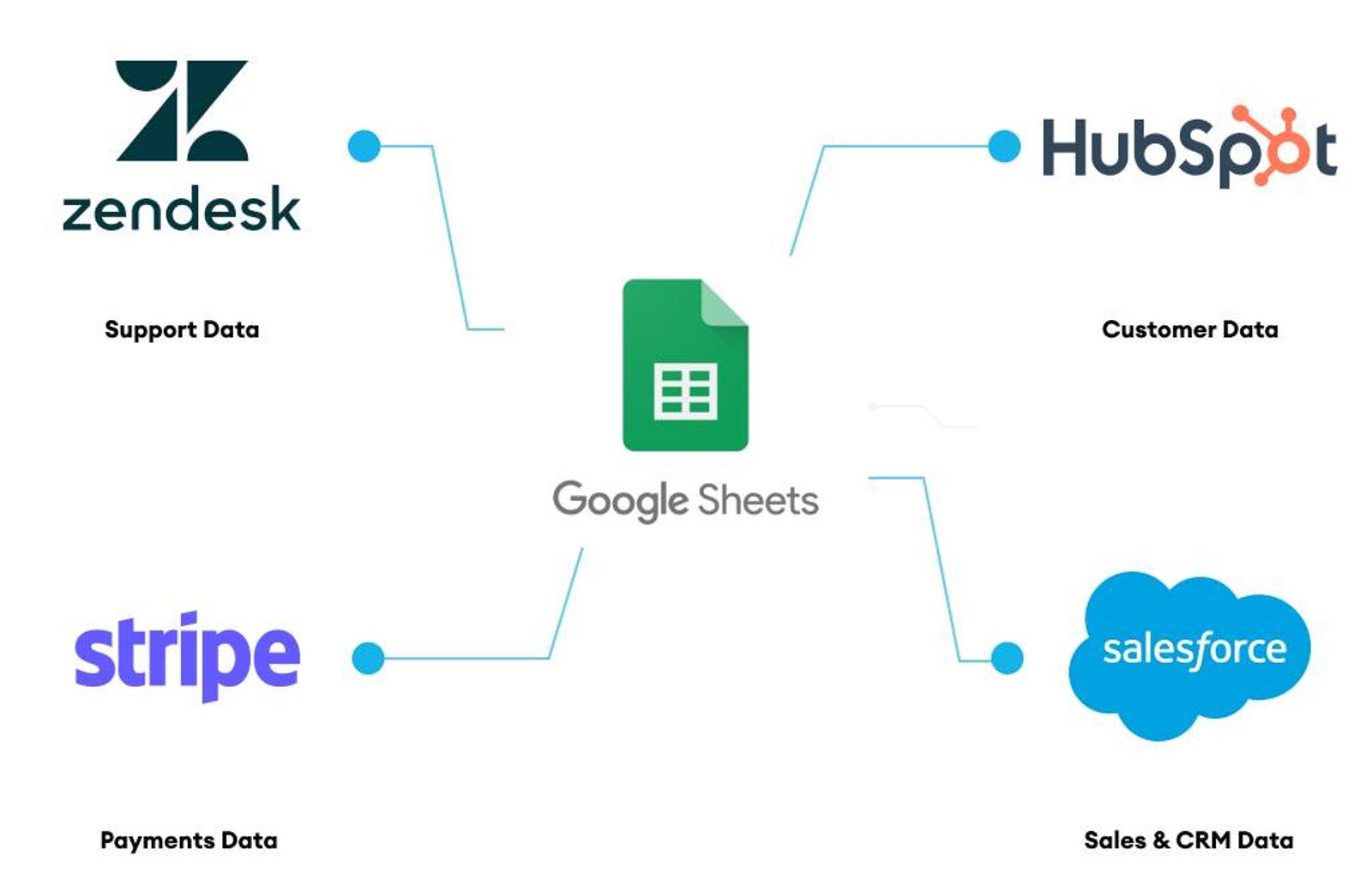
Power up your spreadsheets by connecting its data with other popular business apps, like Zendesk, Salesforce, and Stripe. Design seamless workflows allowing you to interact with your Google Sheets data and manage customer support data, payments and deals, all in one place.
Control your data
Gain column-by-column read & write controls for the data in your spreadsheets, giving you unprecedented control over how your business data is accessed and updated. Reduce unwanted errors and mitigate security risks with Internal’s enterprise-ready features.
Scale with your business
Easily upgrade your Internal tools as business needs change. Add a variety of databases, create functions to call APIs, or write SQL. Whether you go no-code, low-code, or any other amount of code, Internal helps you get it done faster, with plenty of room to grow.
The NoCode.Tech Verdict on
Internal
Internal is my favourite platform for building internal tools (pun only half-intended!) and makes it super simple to incorporate data from multiple sources and allow users to take action.
Great for building apps you only want your team to use or where you need tight audit control of data changes. Focused AND Powerful!

Explore our rating
Explore our rating

How do I know which tool is right for me?
How do I know which tool is right for me?
When considering a no-code tool, we always recommend taking four key factors into account: ease of use, flexibility, design freedom, and cost-effectiveness.
Ease of use. How quickly can a non-technical person get productive with this tool? This is usually the most important factor if you are just getting started.
Flexibility. Can the tool handle the logic, integrations, and custom functionality your project needs as it grows?
Design freedom. Some tools give you pixel-level control, while others intentionally trade that away for speed and safer defaults.
Cost-effectiveness. Think about the real cost to launch and scale, not just the starting plan. A low score in one category does not make a tool bad, it usually just means it is optimized for a different type of builder.
Internal
Explainer Video

Find out more about
Internal








































Pricing options for
Internal

$
0
Starter
- Spaces: Unlimited
- Data sources: 3
- Components
- Function Editor
- Rich display fields
- Admin mode
- Documentation
- Email support

$
5
Teams
- Spaces: Unlimited
- Data sources: 5
- Components
- Function Editor
- Rich display fields
- Version History
- Environments
- Admin mode
- End user mode
- Documentation
- Customer roles: 1
- Granular permissions
- Email support

$
19
Business
- Spaces: Unlimited
- Data sources: 10
- Components
- Function Editor
- Rich display fields
- Version History
- Environments
- Admin mode
- End user mode
- Documentation
- Customer roles: 4
- Granular permissions
- Audit logs
- Email support