




The Lowdown on
Glide
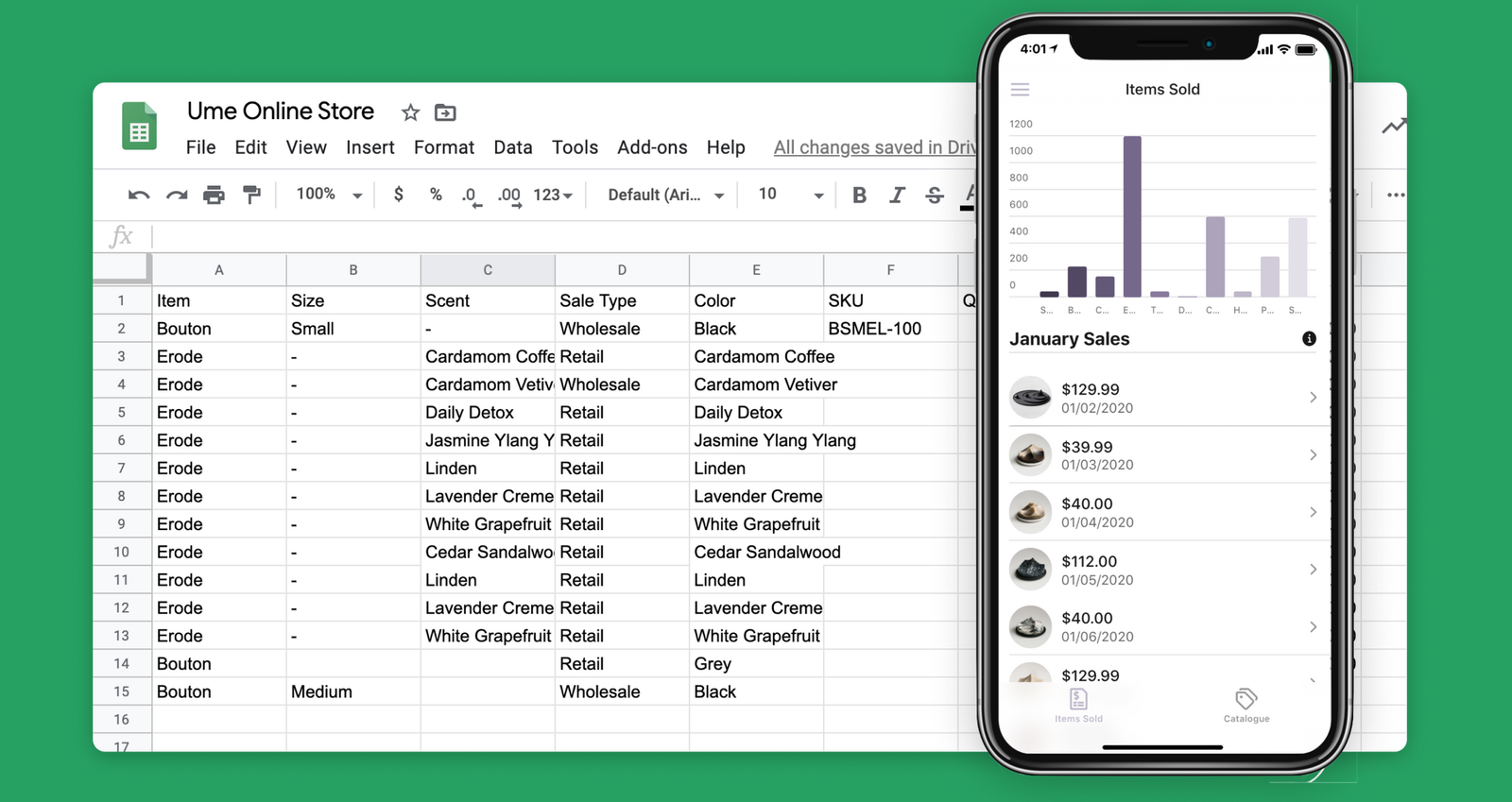
Glide combines the power of apps, with the logic of spreadsheets to create amazing software for work, life, and everything in between. Start with any one of our templates to make your own mobile store, team directory, private Instagram, and more. Launch your app in minutes, for FREE.
Features & Benefits
- Beautiful by default: Glide is designed to make every app look polished and familiar. Customize your app with a library of prebuilt components that you easily drag, drop, and connect to data.
- No code: All you need is a spreadsheet. Glide gives you powerful computed columns that make spreadsheet logic a breeze. Link between sheets, look up data, perform calculations, and write conditional statements in just a few clicks, without a single formula or line of code.
- Share with a link: That's how easy it is to share your app cross-device with anyone, anywhere. You can also share apps by scanning the QR code with your phone’s camera.
- Templates: Quickly clone and customize 100s of ready-to-go templates for every use case.

Exclusive NoCode.Tech Discount
Exclusive NoCode.Tech Discount
The NoCode.Tech Verdict on
Glide
Glide is hands-down the most accessible and easiest-to-use no-code mobile app building platform out there!
While lacking total design freedom, Glide makes any app look beautiful by default and every app it creates is available as a "Progressive Web App" - meaning it can be used on both mobile and web!

Explore our rating
Explore our rating

How do I know which tool is right for me?
How do I know which tool is right for me?
When considering a no-code tool, we always recommend taking four key factors into account: ease of use, flexibility, design freedom, and cost-effectiveness.
Ease of use. How quickly can a non-technical person get productive with this tool? This is usually the most important factor if you are just getting started.
Flexibility. Can the tool handle the logic, integrations, and custom functionality your project needs as it grows?
Design freedom. Some tools give you pixel-level control, while others intentionally trade that away for speed and safer defaults.
Cost-effectiveness. Think about the real cost to launch and scale, not just the starting plan. A low score in one category does not make a tool bad, it usually just means it is optimized for a different type of builder.
Glide
Explainer Video

Find out more about
Glide





Pricing options for
Glide

$
0
Free
- Apps & Pages: Up to 3
- Editors: 2
- Visitors: Unlimited
- Public Users: 100
- Private Users: 3
- Rows per project: 500
- Updates: 1,000
- File storage: 200MB
- Community support
- 40+ Components
- 90+ Column Types
- User-specific data

$
25
Starter
- Apps & Pages: Up to 5
- Editors: 5
- White labelling: Available Separately
- Visitors: Unlimited
- Public Users: 1,000
- Private Users: 10
- Rows per project: 5,000
- Updates: 2,500
- File storage: 5GB
- Community support
- Personalised onboarding: Available separately
- 40+ Components
- 90+ Column Types
- User-specific data
- Custom domains
- Web embeds
- eCommerce

$
99
Pro
- Apps & Pages: Unlimited
- Editors: 10
- White labelling: 3 projects included
- Visitors: Unlimited
- Public Users: 5,000
- Private Users: 50
- Rows per project: 25,000
- Updates: 10,000
- File storage: 50GB
- Community support
- Email Support
- Personalised onboarding: Available separately
- 40+ Components
- 90+ Column Types
- User-specific data
- Custom domains
- Web embeds
- eCommerce
- Glide Basic API
- Protected Columns
- Barcode Scanner
- Signature Pad

$
249
Business
- Apps & Pages: Unlimited
- Editors: 25
- White labelling: 5 projects included
- Visitors: Unlimited
- Public Users: 10,000
- Private Users: 100
- Rows per project: 25,000
- Updates: 25,000
- File storage: 1TB
- Community support
- Email Support
- Personalised onboarding: Available separately
- 40+ Components
- 90+ Column Types
- User-specific data
- Custom domains
- Web embeds
- eCommerce
- Glide Basic API
- Protected Columns
- Barcode Scanner
- Signature Pad
- Pages CSS
- iFrame Embedding
- Domain Monitoring