




The Lowdown on
Stage
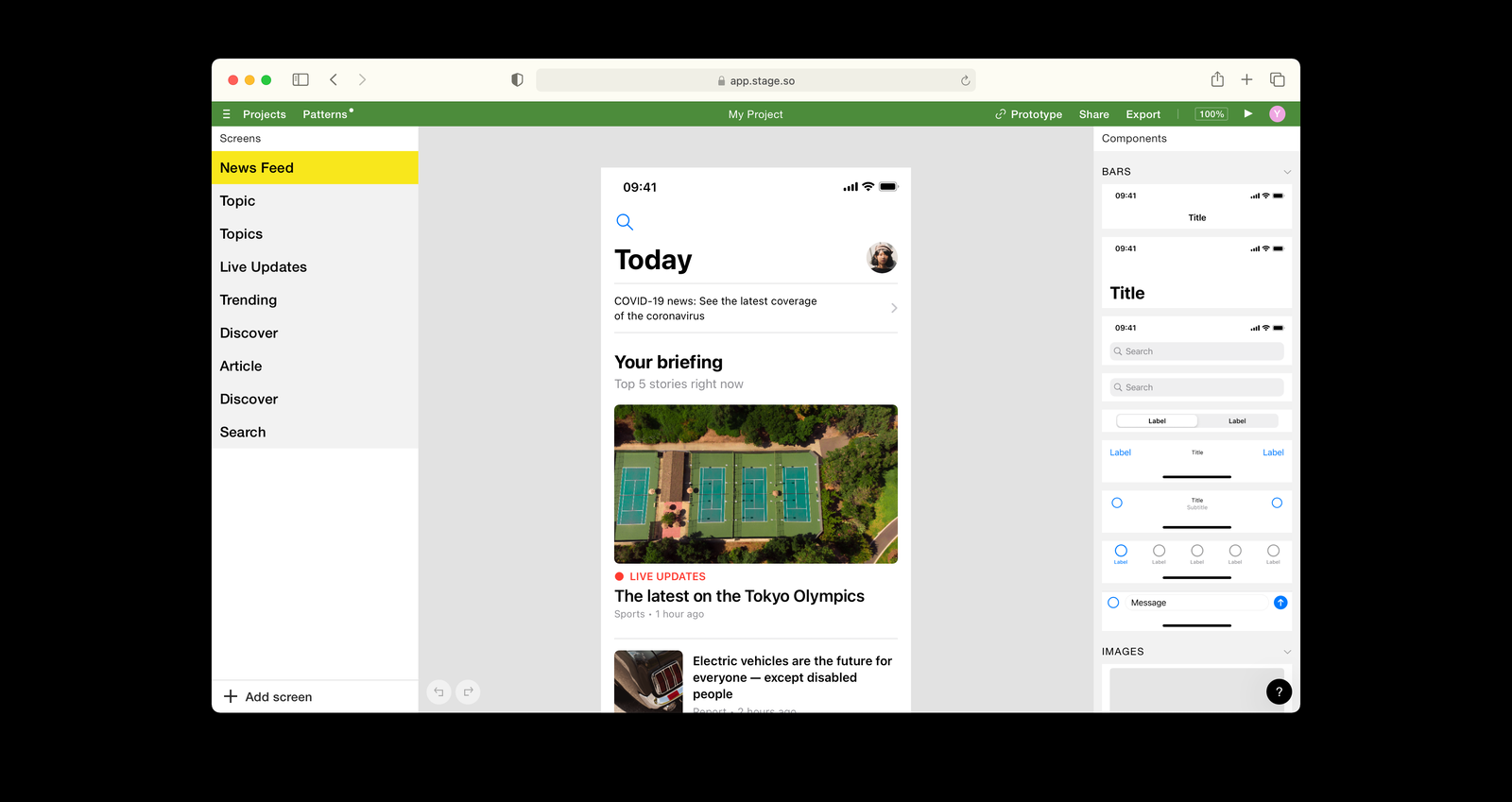
Everyone has brilliant ideas. Stage helps visualize them. You no longer need to learn professional design tools. With Stage’s unique approach, you can create high-quality app screens in minutes.
Design with pre-made components
Create a base of your design faster than ever. Drag and drop versatile and intuitively customizable components and create your mockup in minutes. No design skills are required.
Pattern Library
You no longer need to start from scratch. Select ready-made screens from a collection of the most popular app design patterns to kickstart your creative process.
Prototyping and user testing
Preview your app designs right on your phone and test them as if they were already live. Validate your app's functionality on real users before starting coding and reduce product development time.
Export to design tool
There is no need to waste time struggling on a blank sheet. Transfer your projects to Figma with a single click and continue designing or starting development.
The NoCode.Tech Verdict on
Stage
Are you building an app but you're not a designer? You may have noticed that design is just as hard as coding!
Luckily, Stage has you covered - Their simple mobile app design tool lets you create professional, beautiful wireframes of your app, then allows you to export Figma to get all the info you need to recreate the design in your app builder of choice - If you're building an app, use this tool first!

Explore our rating
Explore our rating

How do I know which tool is right for me?
How do I know which tool is right for me?
When considering a no-code tool, we always recommend taking four key factors into account: ease of use, flexibility, design freedom, and cost-effectiveness.
Ease of use. How quickly can a non-technical person get productive with this tool? This is usually the most important factor if you are just getting started.
Flexibility. Can the tool handle the logic, integrations, and custom functionality your project needs as it grows?
Design freedom. Some tools give you pixel-level control, while others intentionally trade that away for speed and safer defaults.
Cost-effectiveness. Think about the real cost to launch and scale, not just the starting plan. A low score in one category does not make a tool bad, it usually just means it is optimized for a different type of builder.
Stage
Explainer Video

Find out more about
Stage
Pricing options for
Stage

$
0
Free
- 5 screens per project
- 1 active projects
- 2 editors per project
- All prototyping features

$
8
Professional
- All Free features plus:
- Unlimited projects and screens
- All templates and patterns
- Export to Figma and PNG

$
27
Team
- All Professionals features plus:
- Up to 5 editors
- Collaborative features
- Premium support