


Why documenting and monitoring are essential in no-code adoption
There are two things that need to be in place to keep your no-code stack scalable and manageable.
Table of Contents
No-code let loose in a business without the necessary processes in place to keep it safe, secure and scalable is a terrifying prospect. Welcome to the world of documenting and monitoring.
1. What we’re talking about
If you’re building apps using no-code platforms for your business – and it doesn’t really matter the size here – then you need the right systems in place. Any business needs visibility over what’s going on with their software applications and a way for others to make sense of how the app functions. Companies change and grow. Apps evolve. People leave. Step up: documenting and monitoring. The unsung double-act of successful no-code implementation.
Teresa Cintra is country manager of ncScale: a no-code app that monitors your no-code stack, simplifies troubleshooting, improves security and helps you consolidate documentation and best practices. This area is her passion. ‘In an enterprise context, people from different backgrounds are often working on the same app at the same time, often remotely. There needs to be a way for that to be scalable and manageable,’ she says. Otherwise…
- The documenting of how your app works becomes outdated, illogical or inconsistent
- There’s a lack of guidance on how to troubleshoot problems
- Random, indecipherable language and terminology is used
- There’s not a robust way of seeing who’s doing what to the app
- There’s no way to see what parts of the app are performing well and poorly
- There’s no way of creating critical alerts when big problems arise
2. Documenting
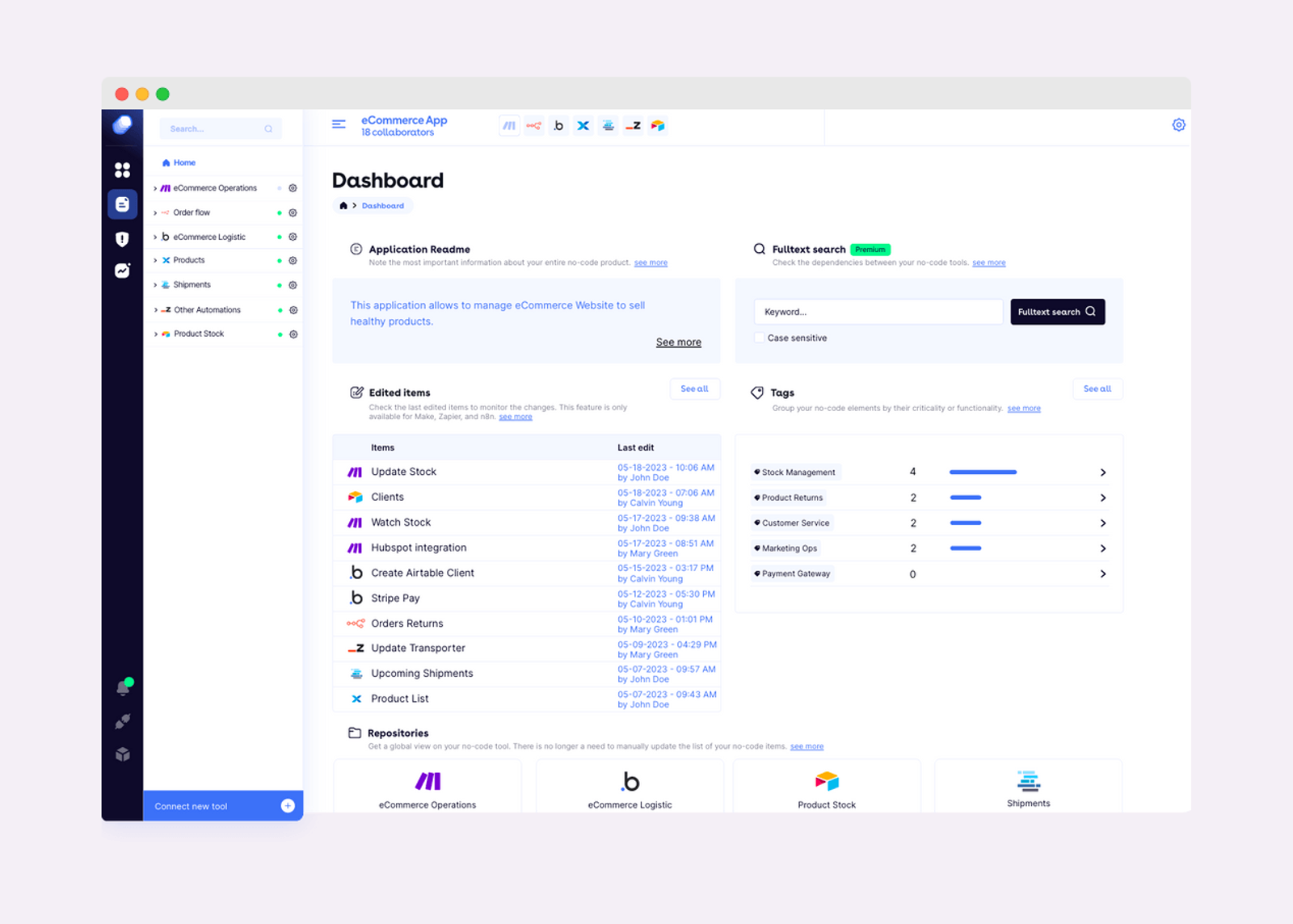
Documenting is the process of capturing and recording info about the app and all its components, whether that’s visual or written. We’re talking about noting changes to functionality, structure, user interface, workflows or data. All important details that need to be properly… well, documented.
It serves several purposes. It lets others know how the application fundamentally works as a reference guide; it increases collaboration so that everyone is on the same page; it makes onboarding new users to the app a lot simpler. It also makes it easier to troubleshoot and spot problems. Without an effective documentation process, users will be in a whole world of pain and productivity will decrease – meaning the business won’t be actually able to reap the benefits of no-code.
Teresa says:
- ‘When you start using no-code tools, you start fiddling and making changes, adapting to your needs. When you want to share that information, others won’t understand it unless there’s some text or an explanation that comes with it. As time moves on, and you understand more and more, you’ll create different versions of your no-code apps. You need to document things as you go so that you can go back on things you’ve built: how the workflow works, understand why you made those changes, what the rationale was, and whether your version today is better or worse.’
- ‘What tends to happen is that you have several no-code applications, one for each single purpose. And most people use them for their purpose: to increase productivity. They’re jumping from tab to tab to see if workflows or integrations are working properly, if the app is secure. There should always be an extra app that’s about documenting. For most people, that’s Notion, Google Docs or Coda. Some people just use the ‘notes’ section of the no-code platform. But these aren’t good solutions.’
- ‘It’s not necessary to document everything: it’s about good sense and pragmatism. It’s your job to document what’s useful and adds value. This will depend on the context. For example, if you’re sharing something with your marketing manager, you need to make sure that they will understand it.’
3. Monitoring
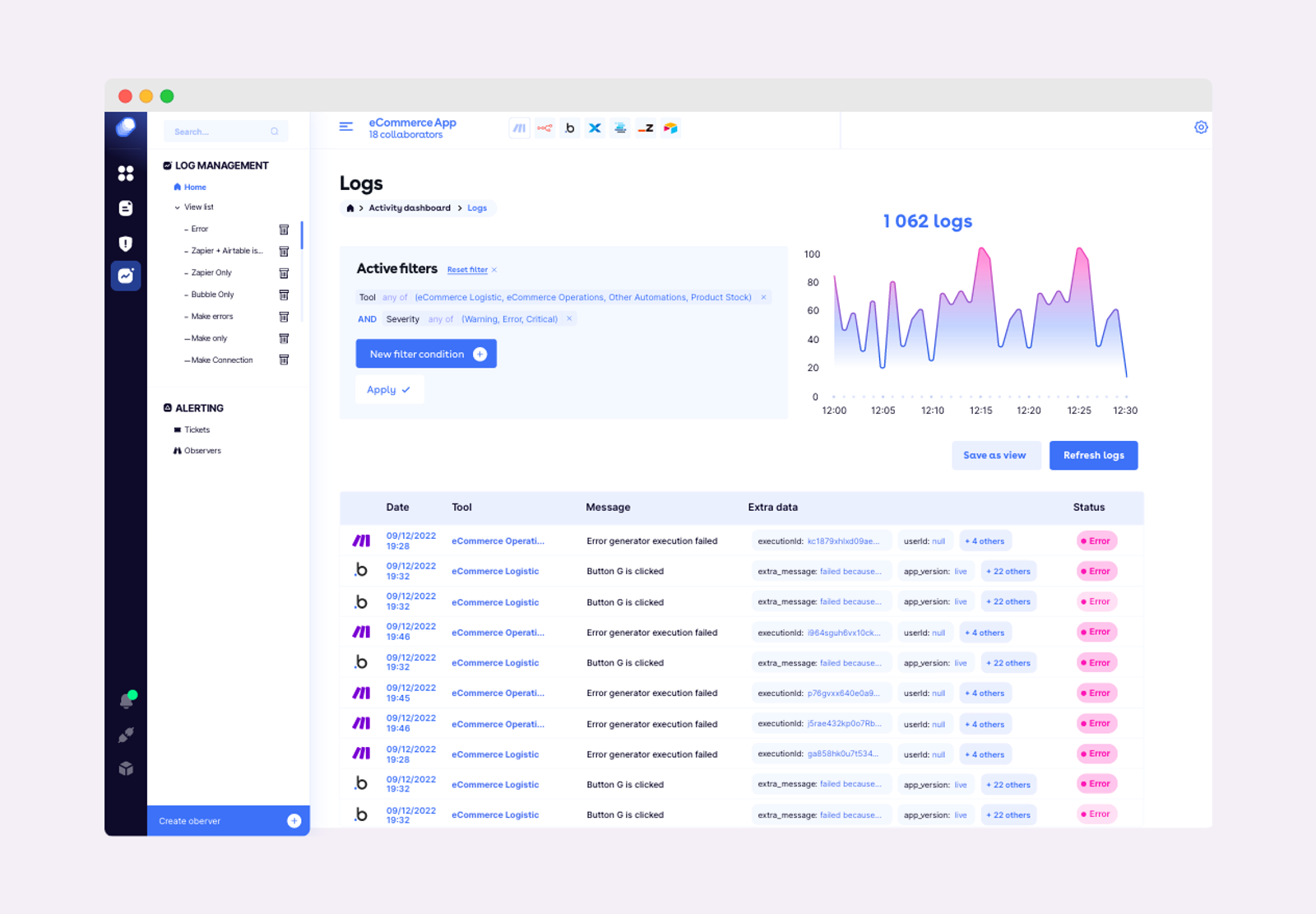
Monitoring, on the other hand, is more about having systems in place to check that the app is doing what it should be – and nothing reputation-ruining is about to happen. Nobody wants headlines about a mass data breach. This is about the performance and behaviour of the apps you’re working with: collecting the necessary data about the apps usage, performance metrics and errors.
Monitoring enables you to identify performance bottlenecks or slow response times; detect errors or unexpected behaviours early on; see what elements of the app are using the most resources (and if those resources can be reallocated); see what users are actually doing on the app; and identify security vulnerabilities too. The aim of the game here is to be proactive about the app’s general health: to make sure it performs well, has a great user experience and is stable and secure.
Teresa says:
- ‘At ncScale we prefer to say we give observability rather than documentation. That means the ability to see clearly if things are flowing – and which errors might happen in the future.’
- ‘An important part here is being able to check over the security and performance of your apps. Who is accessing them and what actions are they taking? Tracking the flow of data to see any problems, risks or breaches. Monitoring threats and creating alerts to incidents and potential threats to the app’s security. So if a button doesn’t work, you can create an alert immediately. But you can also choose who is alerted, so not everyone is alerted immediately. That would be nuts.’
- ‘You really need to be able to map all your dependencies across your tools. So you know that if you change a field in Airtable, how will that impact your automation on Zapier. ncScale puts all that info in one place. It’s one tool that connects with all the no-code tools you’re using with a hub that gives you an overview of all your data, the dependencies between each tool, and a place to document everything.’
4. Who looks after this in the business
‘A lot of companies are reluctant to embrace no-code tools at an enterprise level, usually because IT managers have a sceptical view,’ adds Teresa. ‘With the risks of Shadow IT, they can feel blind.’ That’s where a centre of excellence (CoE) comes in: a specialist crack team set up within the organisation to look after the training, adoption, scaling and security of no-code within an organisation. It’s something we’ve dug into in more detail right here.
‘If you have, for example, one IT manager, one product manager, one project manager and one director in charge of this and using a tool like ncScale, everyone can see how no-code is working for the company. They can manage the logs, the documentation, and share info between everyone else. They can set up alerts and run security reports. It gives them the power of visibility,’ says Teresa.
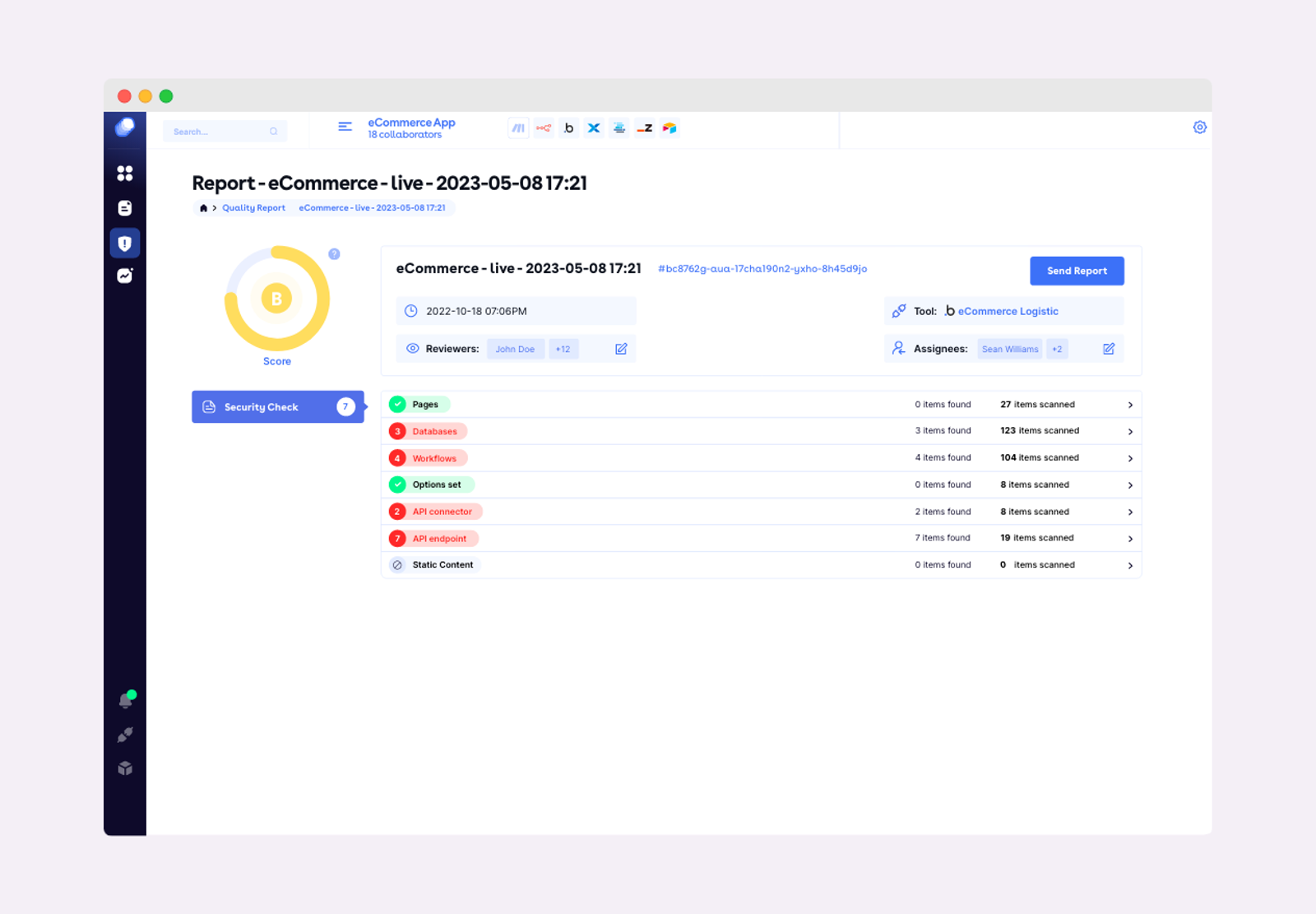
Of course, educating employees and users on the risks of no-code applications is a big part of general security. ‘All you really need is one person in the company to use a no-code database, share a view once and all that information is suddenly available to the public. You need to take measures to protect the company data,’ she says. ‘Don’t wait for errors to happen: fix them in advance.’
For more information about ncScale, check out their platform right here.


